
SamGod
BuilderBuilder Goal: Build and ship a fully functional, responsive, beautifully styled web page.
0 followers · 2 respects
Build Journey
Day 1 — Season kickoff
Sep 13
Layout Fundamentals & AI Prompting
QueuedMaster flexbox, grid, and AI-assisted layout generation.
Target Oct 5
Responsive Webpage Build
QueuedBuild complete multi-section webpage with modern styling.
Target Nov 2
Polish, Optimization & Public Ship
QueuedOptimize responsiveness, test across devices, and deploy.
Target Dec 11
Day 90 — Ship it
Dec 11
37 completed · 2 missed · 50 remaining
Accountability Pod
Builders who keep each other honest — tap a pod mate to view their public builder profile.
What They're Building
Master modern HTML, CSS, and harness AI tools to accelerate building beautiful web pages.
Why It Matters
Fueled by deep passion and curiosity for modern digital creation.
Success Looks Like
Skills in Practice
Execution Timeline
Verifiable track record of daily progress and shipped deliverables.
Objective
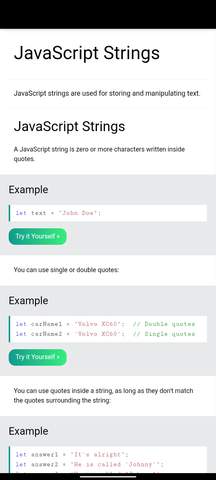
Learn and understand JavaScript strings, events, and how to write readable code.
What was done
Continued studying JavaScript on W3Schools. I learned about strings, string length, escape characters, breaking long code lines, and using quotes inside strings. I also studied JavaScript events and how they allow code to respond to user actions, such as clicking a button. I practised understanding examples and reviewed objects, object properties, functions, parameters, and return values.
Learnings
“Today's lesson helped me understand that JavaScript is not just about writing code; it is also about making web pages interactive. I learned how strings store text, how events respond to user actions, and why readable code matters. I still need more practice to fully understand and apply these concepts, but I am making progress one step at a time. Consistency is the goal.”
Proof of Work
Objective
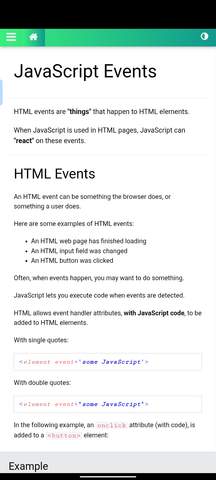
Understand JavaScript events and how to make webpages respond to user actions.Studied JavaScript Events on W3Schools. Learned what HTML even
What was done
Studied JavaScript Events on W3Schools. Learned what HTML events are and how JavaScript responds to actions such as button clicks, changes to input fields, and page loading. Explored the onclick attribute, using JavaScript to change HTML content, and calling functions when events occur.
Learnings
“Today's lesson helped me understand how JavaScript makes webpages interactive. I learned that events allow a webpage to respond when a user performs an action, such as clicking a button. This is an important step in moving from creating static webpages to building websites that users can actually interact with. My next goal is to practise these concepts by writing my own code and testing it in a browser.”
Proof of Work
Objective
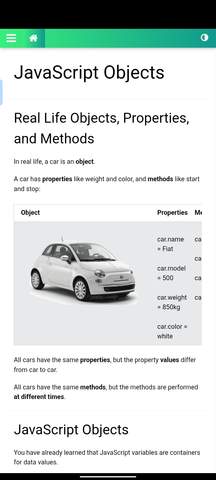
Understand JavaScript objects, their properties, and how they represent real-life entities.
What was done
Studied JavaScript objects on W3Schools. Learned how to create objects using object literals and how to define properties as name-value pairs. Explored real-life objects using a car as an example, including properties such as name, model, weight, and colour, as well as methods such as starting and stopping.
Learnings
“Today, I learned that JavaScript objects allow me to group related information into one structure. Using a car as an example made it easier to understand the difference between properties, which describe an object, and methods, which represent actions it can perform. I'm beginning to see how objects can help me organise data when building real-world websites. My next step is to practise creating my own objects and using them in code.”
Proof of Work
Objective
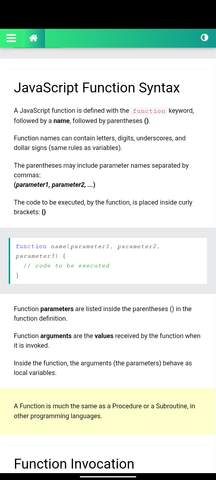
Understand JavaScript functions, how to call them, and how they return values.
What was done
Studied JavaScript functions on W3Schools. Learned the function syntax, parameters and arguments, function invocation, return statements, and local variables. Also explored how functions can be reused and how their return values can be used directly in expressions.
Learnings
“Today's lesson helped me understand that functions allow me to write reusable blocks of code instead of repeating the same instructions. I also learned how parameters, arguments, and return values work together to produce results. I'm beginning to see how these concepts can help me build more interactive websites. My next goal is to practise writing my own functions and understand them through actual examples.”
Proof of Work
Objective
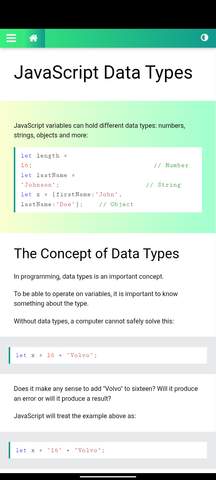
Understand JavaScript data types and how numbers and strings behave in expressions.
What was done
Studied JavaScript data types on W3Schools, including numbers, strings, and objects. Learned that numbers can be written with or without decimals, how different quotation marks work inside strings, and how JavaScript handles expressions combining numbers and strings. Also explored how the order of operations affects the result.
Learnings
“Today's lesson helped me understand that JavaScript works with different types of data, and knowing the type of a value matters when writing expressions. One thing I found interesting was how adding a number to a string can produce a combined string instead of a mathematical sum. I'm gradually building my foundation in JavaScript, and I know that consistent practice will help me apply these concepts when building interactive websites.”
Proof of Work
Objective
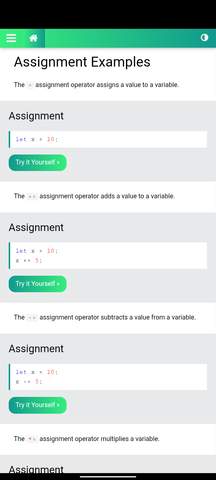
Understand JavaScript assignment operators and how they update variable values.
What was done
Studied JavaScript assignment operators on W3Schools, including =, +=, -=, *=, /=, and %=. Learned how shorthand assignment operators update variables and explored bitwise assignment operators and **=.
Learnings
“Today, I learned that assignment operators make it easier to update variable values without repeatedly writing the full expression. I'm gradually building my JavaScript foundation, and I know that understanding these basics will help me become better at building interactive websites. My focus is to keep learning and practise what I study.”
Proof of Work
Objective
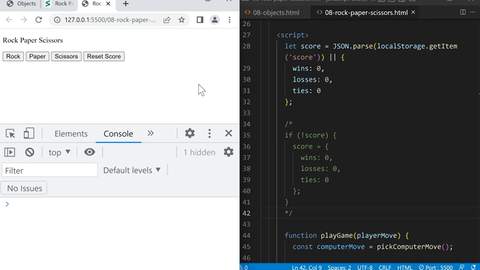
Learn about JavaScript methods, properties, falsy values, and localStorage by applying them to my Rock, Paper, Scissors project.
What was done
Today, I continued improving my Rock, Paper, Scissors project while learning more about JavaScript methods and properties. I practised accessing and working with object properties, explored falsy values and how they behave in conditional statements, and learned how to use localStorage to retrieve saved game scores. I also worked with JSON.parse() and the logical OR (||) operator to initialize the score with default values when no saved score exists. This helped me better understand how JavaScript handles stored data and default values.
Learnings
“Today, I gained a better understanding of JavaScript methods, properties, and falsy values. I also learned how localStorage, JSON.parse(), and the logical OR operator can work together to retrieve saved data or provide default values. I will continue practising these concepts as I improve my Rock, Paper, Scissors game.”
Proof of Work
Objective
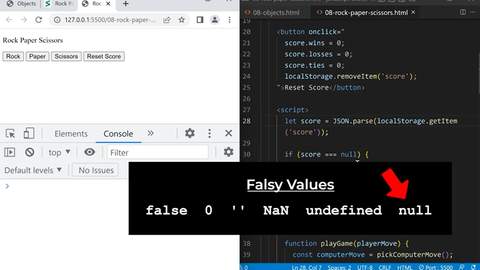
Learn how to use JavaScript objects, JSON, and localStorage to save and reset the score in my Rock, Paper, Scissors game.
What was done
Today, I continued improving my Rock, Paper, Scissors project by working with JavaScript objects and JSON methods. I learned how JSON.stringify() converts an object into a JSON string and how JSON.parse() converts it back into a JavaScript object. I also worked with localStorage to retrieve saved scores and used localStorage.removeItem() to remove the stored score when resetting the game. This helped me understand how to manage game data and work with saved scores in JavaScript.
Learnings
“Today, I learned how JavaScript objects, JSON methods, and localStorage work together to manage data. I now understand better how to save and retrieve game scores and how to remove saved data when resetting the game. I will continue practising these concepts to make my project more reliable and strengthen my JavaScript skills.”
Proof of Work
Objective
Review JavaScript objects and JSON methods while improving my Rock, Paper, Scissors game and its score-reset functionality.
What was done
Today, I continued practising JavaScript objects and worked on my Rock, Paper, Scissors project. I learned how JSON.stringify() converts an object into a JSON string and how JSON.parse() converts the JSON string back into a JavaScript object. I also worked with localStorage to retrieve my game's saved score and continued testing the game's functionality, including the score display and reset button. This helped me understand how objects and stored data can be used to manage game scores.
Learnings
“Today, I learned how JavaScript objects can be converted into JSON strings and restored using JSON.parse(). I also gained a better understanding of how localStorage can preserve data between browser sessions. I am gradually learning how to combine these concepts to build more functional projects.”
Proof of Work
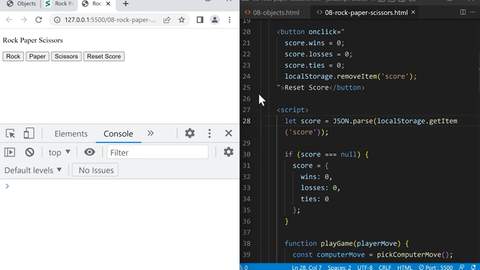
Objective
Review my Rock, Paper, Scissors project and reinforce my understanding of the JavaScript concepts and features I have implemented so far.
What was done
Today, I reviewed the work I did yesterday on my Rock, Paper, Scissors project. I went through the existing code and revisited the features I had implemented, including the reset button. This helped me refresh my understanding of the code, reinforce what I have learned so far, and identify areas I can improve as I continue developing the project.
Learnings
“Today reminded me that learning to code is not just about adding new features but also about reviewing previous work and understanding how the code functions. Revisiting my project helps me strengthen my knowledge and build confidence in my coding abilities.”
Proof of Work
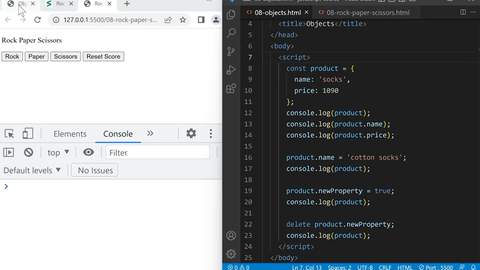
Objective
Add a reset button to my Rock, Paper, Scissors game to practise JavaScript functions and improve the game's functionality.
What was done
Continued developing my Rock, Paper, Scissors project by adding a reset button. This helped me practise connecting button interactions with JavaScript functionality. I tested the project and continued improving its features while applying the JavaScript concepts I have learned, including functions, objects, and conditional statements.
Learnings
“Today, I learned that small features like a reset button can make a project more useful and interactive. I am gradually learning how to combine different JavaScript concepts to build a functional project instead of just practising them separately.”
Proof of Work
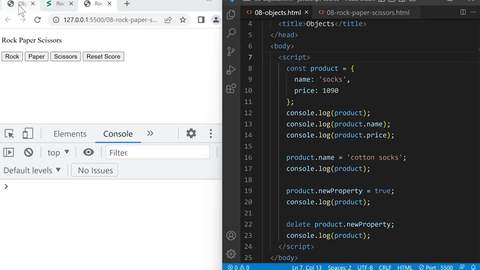
Objective
Practise JavaScript Objects by applying them to my Rock Paper Scissors project and organising related data using object properties.
What was done
Continued working on my Rock Paper Scissors project. I used an object to store the game's score, including wins, losses, and ties. I practised accessing and updating the score properties using dot notation and used conditional statements to update the score based on the game result. I also tested the game in the browser to confirm that it displays the player's move, the computer's move, the result, and the current score.
Learnings
“Today, I practised applying JavaScript concepts to my Rock Paper Scissors project. I learned how objects can store related information, such as wins, losses, and ties, in one place. I also reinforced my understanding of functions, conditional statements, and updating object properties. Tomorrow, I will continue working on the project to improve my understanding through practical application.”
Proof of Work
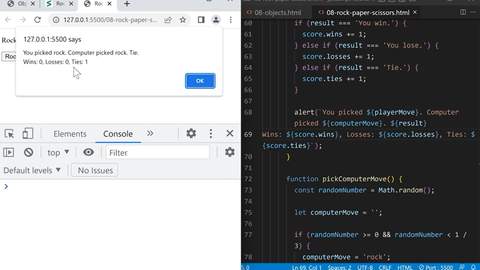
Objective
Start learning JavaScript Objects by understanding how to create objects, access their properties, and store related data together.
What was done
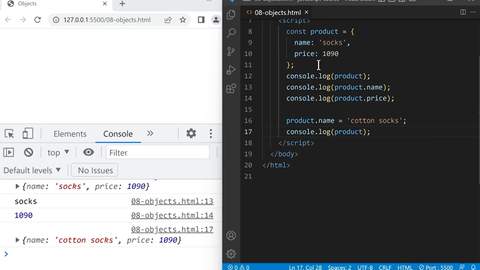
Started learning JavaScript Objects. Created a product object using const with name and price properties. Practised accessing individual properties using dot notation, displaying the object in the console, and updating the product name from 'socks' to 'cotton socks'. I also learned that properties of an object declared with const can be modified without reassigning the entire object.
Learnings
“Today, I learned how JavaScript Objects help organise related information in one place. I also understood how to access and update object properties. Tomorrow, I will continue practising the syntax rules to strengthen my understanding before moving to the next concept.”
Proof of Work
Objective
Complete JavaScript Lesson 7 exercises (7a to 7l) to practice functions, parameters, return values, and early returns.
What was done
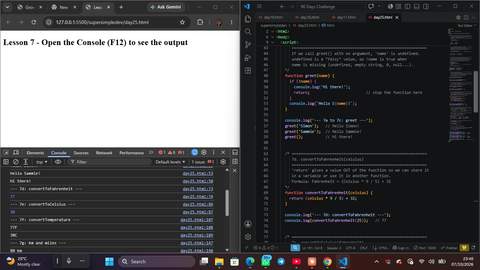
Today, I worked through the Lesson 7 Functions exercises. I created a greet function, added a name parameter, and handled a missing name with if (!name) so it shows "Hi there!". I wrote convertToFahrenheit and convertToCelsius using return, then built convertTemperature that reuses both and returns a string like '77F'. I then built convertLength to convert between km, miles, and feet, and added an "Invalid unit" message for wrong units. Finally, I refactored my Calculator project with an updateCalculation function and my Cart Quantity project with updateCartQuantity, and used an early return (alert, then return) to remove the else block. I tested the outputs in the console and checked them against the expected results (77, 30, '80 km', '26400 ft').
Learnings
“A parameter puts a value into a function and return gets a value out. An early return makes code cleaner because it removes the else block.”
Proof of Work
Objective
Continue learning JavaScript functions and understand how parameters and return statements work.
What was done
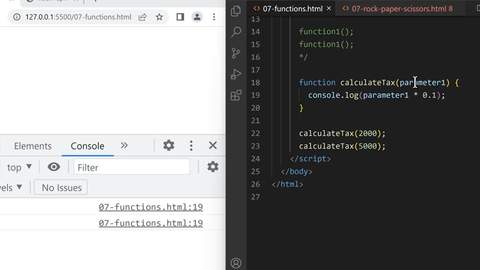
Today, I continued my study of JavaScript functions. I learned how functions can be used to organize and reuse code instead of writing the same code repeatedly. I also learned about parameters and return statements. I understood that a parameter puts a value into a function, while a return statement gets a value out of a function. I practiced passing different values into functions using parameters and returning results from functions. I also connected what I learned with my previous Rock Paper Scissors project, which helped me see how functions can make the project more organized and reusable.
Learnings
“Today helped me understand that functions are more than just blocks of code. They allow me to reuse code and make my programs more organized. I'm looking forward to applying this properly to my Rock Paper Scissors project tomorrow. 🚀”
Proof of Work
Objective
Learn and practice JavaScript Boolean values and if statements, and use them to build a simple interactive project.
What was done
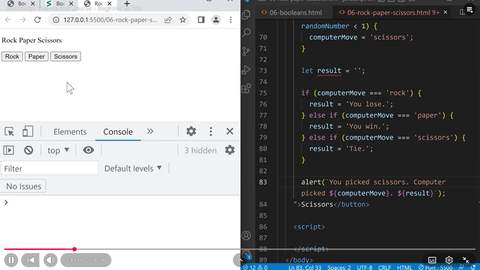
Today, I learned more about Boolean values and how JavaScript uses true and false to make decisions. I also learned about truthy and falsy values, including false, 0, '', NaN, undefined, and null. I practiced using if, else if, and else statements to create conditions. I then applied what I learned by completing a Rock Paper Scissors game in JavaScript. The project allows the player to choose rock, paper, or scissors, while the computer makes a random choice and the program determines whether the player wins, loses, or gets a tie.
Learnings
“Today was productive because I was able to move beyond just learning concepts and actually use them to build a working project. Completing Rock Paper Scissors helped me understand how conditions and Boolean logic are used in real programs.”
Proof of Work
Objective
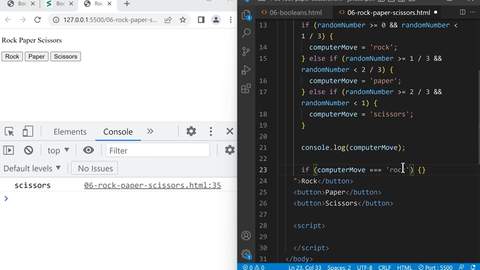
Use JavaScript Boolean logic, if statements, and comparison operators to start building a Rock Paper Scissors game.
What was done
Started building 06-rock-paper-scissors.html. Created the Rock, Paper, and Scissors buttons and wrote the logic for generating a random computer move using Math.random(). Used if and else if statements with && to divide the random number into three ranges and assign the computer's move as either rock, paper, or scissors. Tested the random computer move in the console and confirmed that the program generates different choices.
Learnings
“Today I moved from simply learning if statements to using them in an actual project. I learned how Math.random() can be combined with conditions to make the computer choose between rock, paper, and scissors. I also started seeing how Boolean logic and comparison operators can be used to control the behavior of a game. The next step is to connect the player's buttons to the game logic and determine the winner.”
Proof of Work
Objective
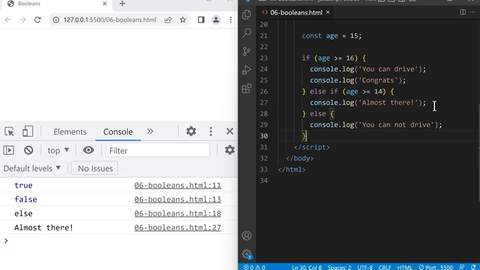
Learn how Boolean values work in JavaScript and understand how if...else statements make decisions based on conditions.
What was done
Practiced using Boolean values (true and false) and comparison operators such as === and >=. Tested if...else statements in JavaScript to understand how a condition determines which block of code runs. Used examples such as checking whether a value meets a certain condition and displaying different messages depending on whether the condition is true or false.
Learnings
“Today I started understanding how JavaScript can make decisions instead of simply executing every line the same way. I learned that Boolean values are either true or false, and if...else allows the program to respond differently depending on a condition. Tomorrow I want to apply this knowledge to something practical by building a Rock Paper Scissors game.”
Proof of Work
Objective
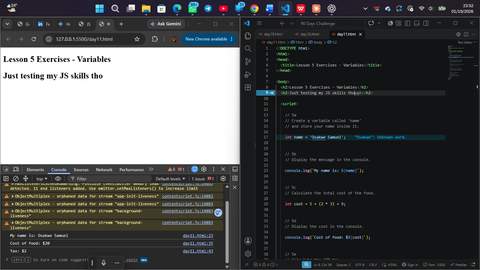
Complete JavaScript Lesson 5 variable exercises and strengthen my understanding of variables, template literals, calculations, and reassignm
What was done
Completed the Lesson 5 Variables exercises. Practiced creating variables with let, storing strings and numbers, using template literals with ${}, calculating the cost of food, and calculating 10% tax from a variable. Reinforced how variables can store results and be used in later calculations.
Learnings
“Today helped me understand variables beyond just storing values. I practiced using variables inside calculations and template literals, which made the connection between the different JavaScript concepts clearer. Tomorrow I’ll move on to if statements and learn how JavaScript makes decisions based on conditions.”
Proof of Work
Objective
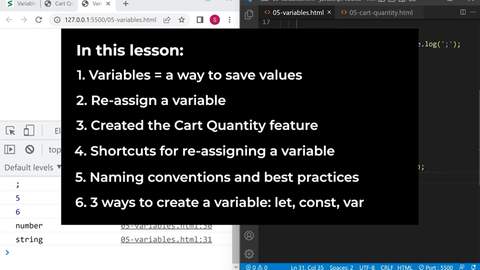
Learn variable reassignment, naming conventions, and template literals by building a Cart Quantity feature.
What was done
Built 05-cart-quantity.html a working cart with +2/+3 buttons that reassign cartQuantity via onclick, a Show Quantity button, and a Reset Cart button. Used template literals (backticks + ${cartQuantity}) inside console.log to print the live value on each click — confirmed it updates correctly: 2, then 4, then 6. Reviewed the 3 ways to declare a variable (let, const, var) and 4 naming convention styles: camelCase, PascalCase, kebab-case, snake_case.
Learnings
“Template literals (Cart quantity: ${cartQuantity}) are a cleaner way to mix text and variables than the + concatenation trick from earlier days no need for multiple + signs, just drop the variable straight into ${}.”
Proof of Work
Objective
Follow a structured JavaScript course, set up VS Code + Live Server, and review variable naming rules.
What was done
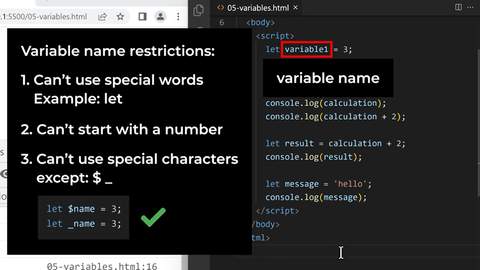
Set up VS Code as a proper local dev environment (127.0.0.1:5500 via Live Server), reviewed HTML/CSS basics, and learned how to load JavaScript inside an HTML file with <script> tags and inline onclick="" attributes. Worked through 05-variables.html: confirmed a variable is a container that saves a value for later use, tested console.log on a variable plus doing math on it inline (calculation + 2), storing that result in a new variable, and using a string variable (message = 'hello'). Learned variable naming rules: can't use reserved words like "let", can't start with a number, and can't use special characters except $ and _.
Learnings
“Setting up a proper local environment (VS Code + Live Server) instead of just the browser console makes it possible to build and reload real files the natural next step before a real project.”
Proof of Work
Objective
Continue exploring JS in the console string/number combos, quote escaping, and rounding numbers.
What was done
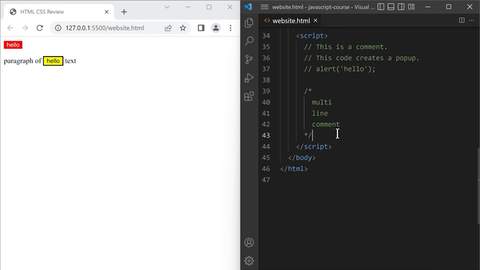
Combined the earlier floating-point fix with a dollar sign: '$' + (2095 + 799) / 100 correctly gave '$28.94'. Tested escaping single quotes inside a string ('I'm learning JavaScript') and confirmed it still prints correctly without breaking. Tested alert() with a newline character (\n) to split text across two lines in the popup. Learned Math.round() confirmed 2.2 rounds down to 2, and 2.8 rounds up to 3.
Learnings
“A backslash () before a special character like a quote or 'n' changes how it's treated ' lets a quote appear inside a string without ending it early, and \n creates a line break inside text.”
Proof of Work
Objective
Explore JavaScript number precision why decimal math doesn't always give exact results.
What was done
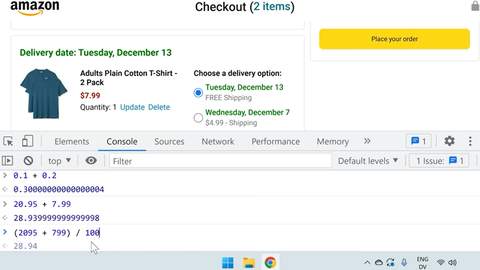
While checking real prices on an Amazon checkout page, ran 0.1 + 0.2 in the console and got 0.30000000000000004 instead of 0.3. Tested it again with real prices (20.95 + 7.99 → 28.939999999999998) and confirmed the same issue. Found a workaround: converting to whole numbers first (2095 + 799) / 100 correctly gave 28.94
Learnings
“JavaScript decimal math isn't always exact 0.1 + 0.2 doesn't equal 0.3 precisely, due to how computers store decimal numbers in binary. The safe workaround for money-like values is to work in whole units (like cents) and divide back at the end.”
Proof of Work
Objective
Practice JavaScript basics independently using supersimple.dev's JS basics track.
What was done
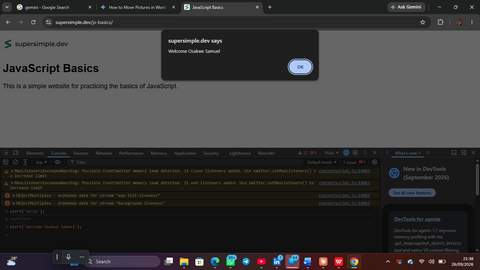
Worked through supersimple.dev/js-basics, used the console directly to test alert(), including a personalized version: alert('Welcome Osakwe Samuel') confirmed it pops up a browser dialog with that exact text.
Learnings
“alert() is a quick way to pop up a message box directly from JavaScript useful for testing small snippets fast, separate from console.log which only shows in DevTools.”
Proof of Work
Objective
Js basics
What was done
just watched videos
Proof of Work
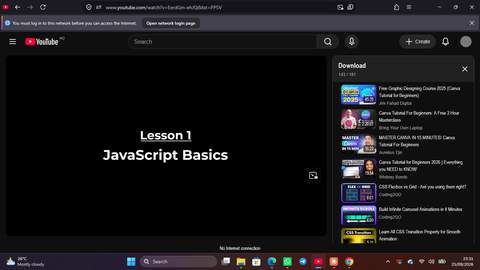
Objective
watched youtube video on CSS Layout and grid
What was done
i think i now get the importance of flex and grid better
Proof of Work
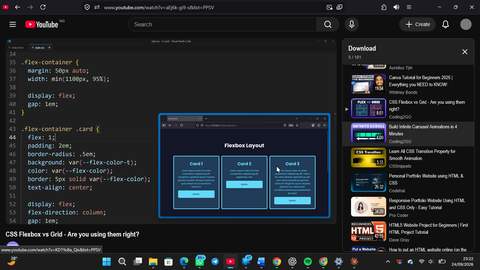
Objective
Learn CSS transition
What was done
more knowledge of CSS
Proof of Work
Objective
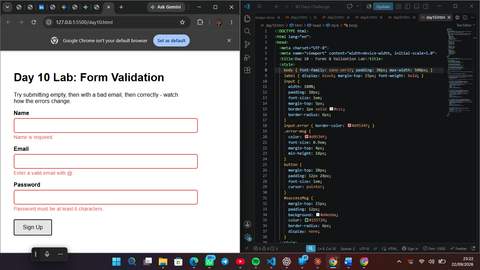
Learn form validation checking user input before accepting it, with live error messages.
What was done
Built day10.html: a signup form validating name (not empty, via .trim()), email (contains @), and password (6+ characters), with per-field error messages and red borders that clear independently as each field becomes valid. Understood preventDefault() stopping page reload, and traced isValid as a pass/fail switch that starts true and flips permanently to false on any single check failing. Tested all 3 stages: fully empty, partially fixed, fully correct.
Learnings
“isValid works like a switch that starts "on" and only ever gets flipped "off" once any check fails, nothing later can flip it back, which is why one bad field is enough to reject the whole form.”
Proof of Work
Objective
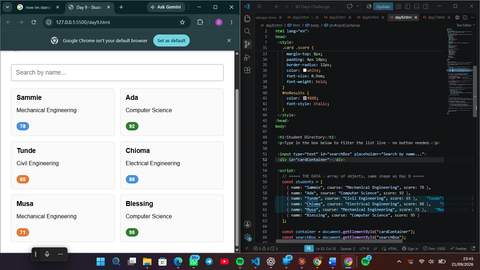
Combine HTML/CSS/JS into a real project a searchable student directory using arrays, objects, loops, and DOM rendering.
What was done
Built day9.html: a live search box filtering student cards using .filter(), color-coded score badges reusing Day 6's conditional logic, and a responsive card grid. Revisited Day 7's arrays and loops from scratch after realizing it hadn't fully landed rebuilt the position/index model (fruits[0], fruits[1]...) and traced a for-loop step by step, correctly predicting the print order after one wrong first attempt.
Learnings
“Some concepts (arrays, loops) needed a second, slower pass days later to actually stick that's fine and worth doing rather than moving on with a shaky foundation.”
Proof of Work
Objective
Learn JavaScript objects labeled properties vs array positions, and arrays of objects.
What was done
Built day8.html covering object property reads (car.brand, car.year), reassigning a property after creation, and the array-of-objects pattern rendering student data as real HTML cards, plus a loop calculating a running total from students[i].score.
Proof of Work

Inspired to build something meaningful?
Join the GrowthHub ecosystem and build your own 90-day verifiable track record.